How to Ask an Ally to Attack in Frontwars.io: The Ultimate Teamwork Guide
Frontwars Guide
2025-12-06
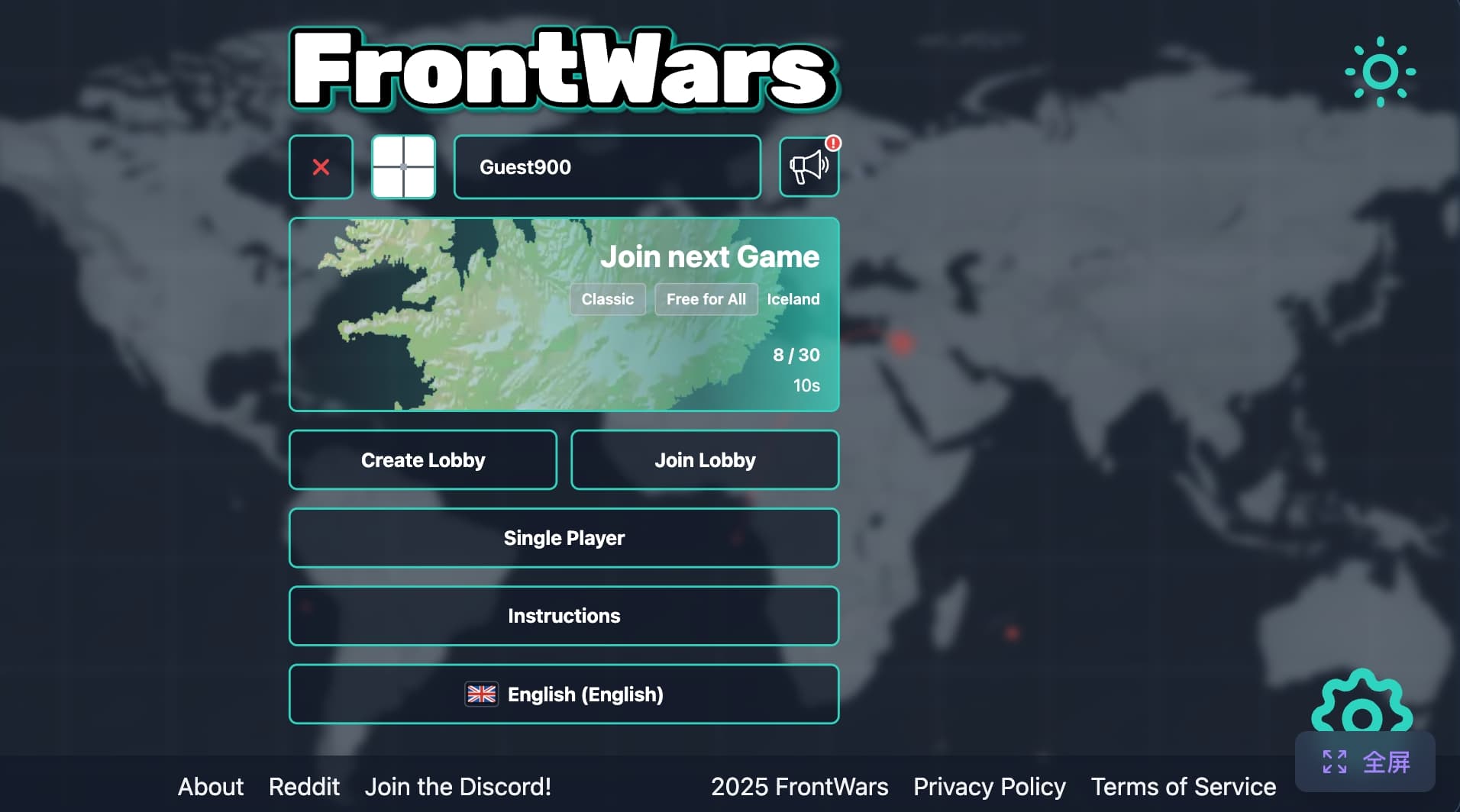
Have you ever played FrontWars and felt like you were fighting all alone? The enemy is strong, your army is tired, and you wish you had a friend to help you win.
Guess what? You do have friends! They are called Allies.
Winning in this game is not just about being the strongest solo player. It is about working together. But here is the big question: How to ask an ally to attack in Frontwars.io?
Do not worry! It is super easy. Imagine you are the General of your army, and you are picking up a walkie-talkie to call for backup. In this guide, I will show you exactly how to do it in 4 simple steps. Even a 5-year-old commander can learn this!
Let’s dive in!
Step 1: Check Your Ally (Are They Human?)
Before you start shouting orders, you need to know who your neighbor is. This is the most important step!
Go to your ally's territory on the map and Right-Click on it. A menu will pop up. Click on "Ally Info".
⚠️ Important Warning: Look closely at their name and info. Is it a real player or a Bot?
- Real Players: They can read your messages and help you fight.
- Bots (Robots): They are just computer programs. If you ask a bot for help, they will not answer. They will ignore you because they don't know how to chat! So, only waste your time typing to real humans.
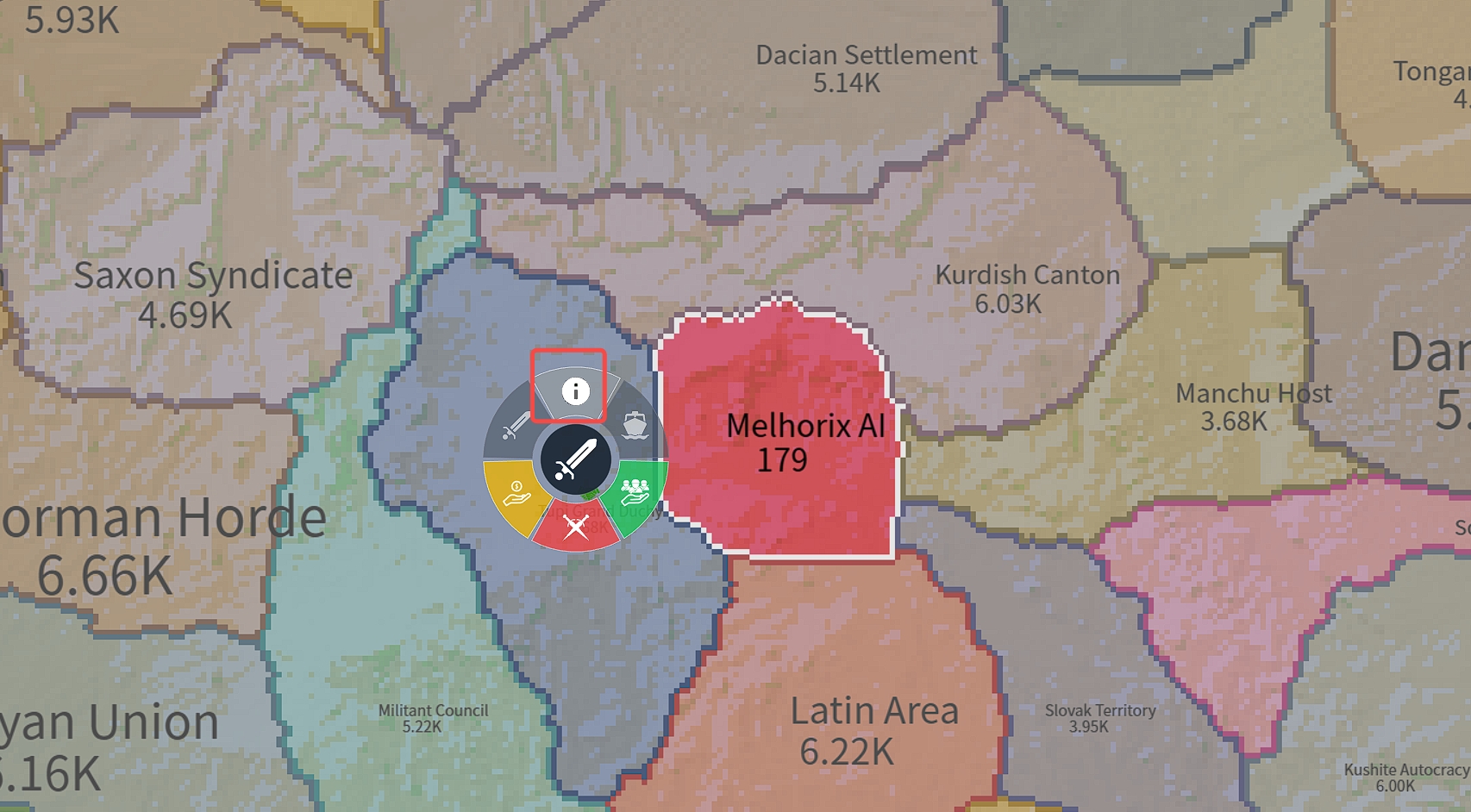
Caption: Make sure your ally is a real human before asking for help.
Step 2: Open the Secret Chat Channel
Okay, you found a real human ally. Great! Now it is time to talk.
In that same Ally Info box you just opened, look for a button that says "Chat".
Click it! This is like opening a direct phone line to your teammate. You don't need to shout in the public chat where enemies can hear you. This is a private line for your team strategies.
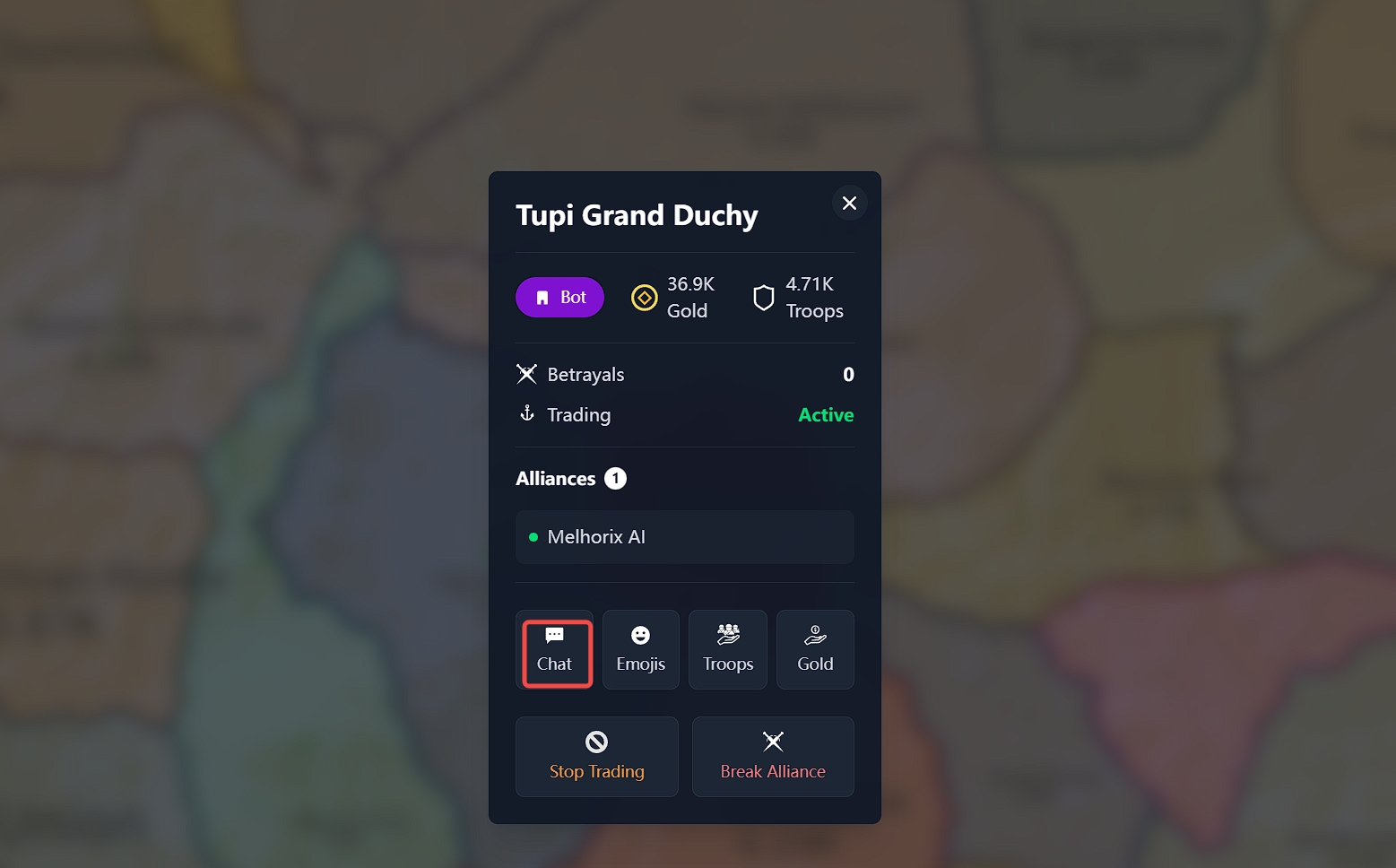
Caption: Click the Chat button to start a private conversation.
Step 3: Choose Your Command – Help or Attack?
Now the fun part begins. Once you click Chat, you will see a command panel. You usually have two big choices here. Think of them as two different magic spells:
Option A: The "Help" Button
When you click "Help", you are saying: "Hey buddy, I am weak! Send your soldiers to my house!" Your ally will send troops to your territory.
- Why use this? This makes your army bigger. Once your army is huge, YOU can attack the enemy yourself. It is an indirect way to attack.
Option B: The "Attack" Button (Direct Action)
This is the one we want today. When you want to tell your friend exactly who to crush, you use this button. It tells them: "Forget about me, go get the bad guy!"
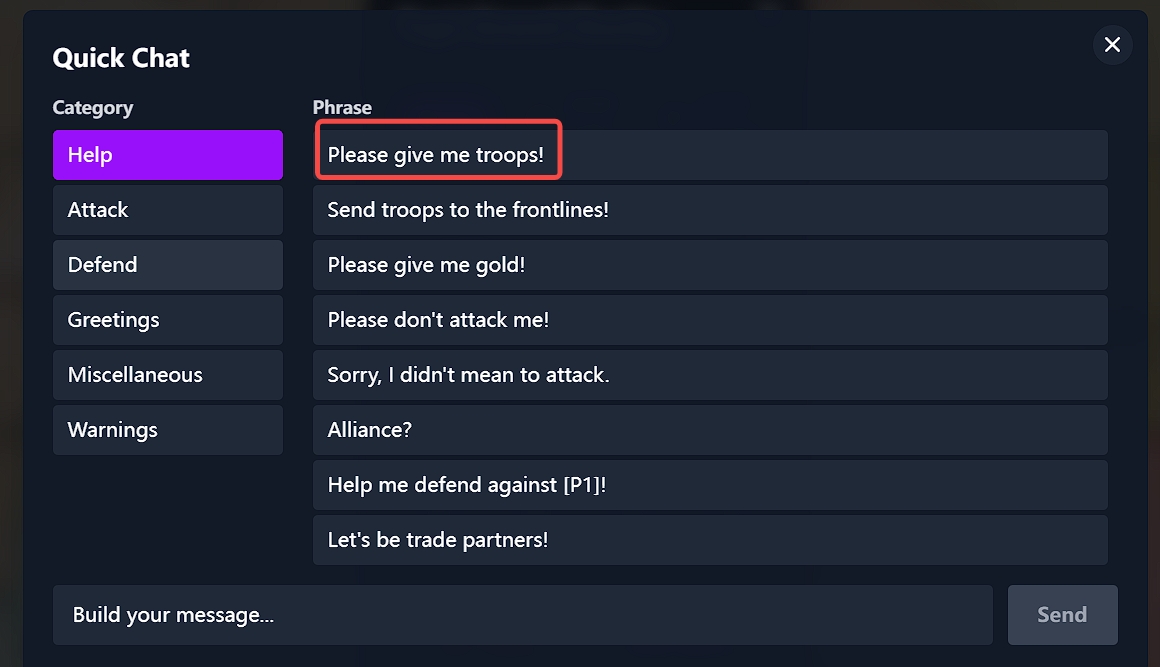
Caption: Choose 'Attack' to direct your ally's army.
Step 4: Pick the Enemy Target
You have selected "Attack". Now, you need to tell your ally who to attack.
A list of players will appear, or you might need to point them out. Simply select the player you want your ally to destroy.
Once you click it, your ally will get a notification. It is like a mission update! If they are a good teammate, they will send their tanks and soldiers to that enemy immediately.
Pro Tip: Try to attack the same enemy at the same time. Two armies are always better than one!
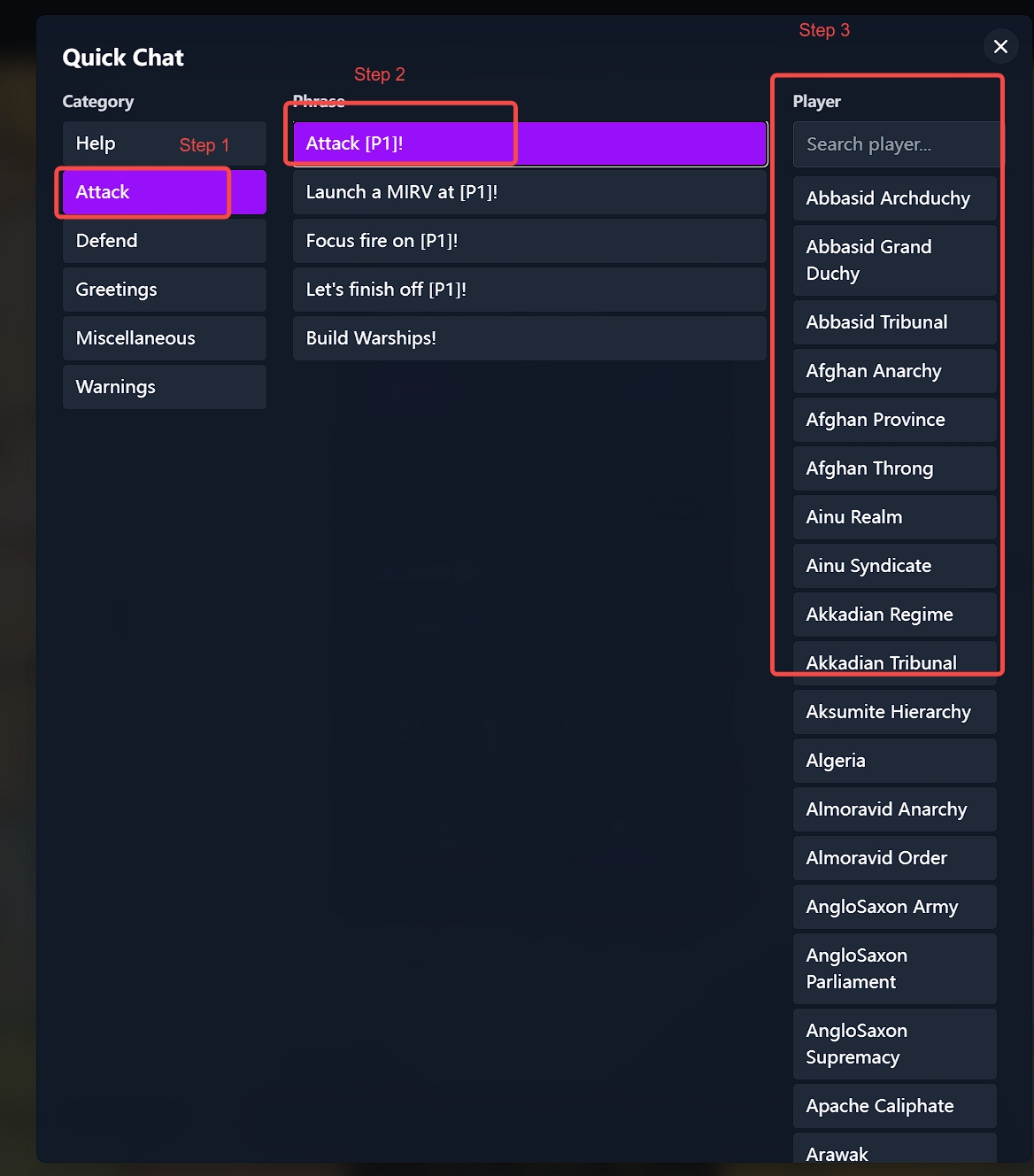
Caption: Select the specific enemy player you want to target.
Summary: Teamwork Wins Games
Learning how to ask an ally to attack in Frontwars.io is the secret weapon that separates beginners from pros.
Remember these simple rules:
- Check if they are human (Bots don't listen!).
- Open Chat (Use the red phone!).
- Choose Attack (Give the order!).
- Pick the Target (Point at the bad guy!).
Now, go out there, make some friends, and conquer the map together. Good luck, General!